
UPEC opens its applications each year via the eCandidat platform for a large part of its programs outside of Parcoursup. Behind the apparent simplicity of online submission, several mechanisms can cause a candidate’s application to fail even before it is reviewed: variable opening slots depending on the components, confusion between application and administrative registration, or errors in the circuit between eCandidat and MonMaster.
eCandidat UPEC Closing Slots: The Trap Candidates Discover Too Late
The UPEC eCandidat platform is not accessible continuously. Each component (law faculty, STAPS, education sciences, IUT, INSPE) manages its own application opening and closing dates. A master’s program in law may open its submissions in early May and close them at the end of June, while a bachelor’s program in education sciences follows a staggered schedule of several weeks.
The concrete problem: a candidate who spots a program in July may find that the eCandidat slot has already been closed for a month. No automatic alert warns of the imminent closure. The only reliable method is to check directly on the sheet of each program for the displayed calendar, and to do so several weeks before the deadline.
The UPEC eCandidat procedure in Créteil also assumes understanding that some programs display multiple application sessions throughout the year, while others offer only one. This disparity between components makes any generalization risky.

eCandidat or MonMaster at UPEC: Identifying the Right Circuit Before Applying
Since the establishment of the national portal MonMaster, entry into M1 at UPEC often goes through monmaster.gouv.fr rather than eCandidat. However, eCandidat remains the channel for other levels or audiences: access in L2, L3, M2, certain university diplomas, or continuing education programs.
The same diploma may fall under two distinct procedures depending on the year of study. Several UPEC master’s sheets indicate MonMaster for M1 and eCandidat for M2, with separate calendars. Submitting an application on the wrong portal does not generate an explicit error message: the application is simply ignored.
Particular Cases That Escape eCandidat
International students going through Campus France follow yet another circuit. Candidates in apprenticeship or continuing education sometimes need to contact the component’s administration directly to obtain a personalized registration link, distinct from eCandidat.
- Bachelor’s 1: Parcoursup (never eCandidat for a first-time post-bac applicant)
- Master’s 1: MonMaster in the majority of cases at UPEC
- Master’s 2, L2, L3, DU: eCandidat, depending on the component and the specific calendar of each program
- Foreign students outside the EU: “Études en France” procedure via Campus France, then registration at UPEC
Checking the exact channel on the training sheet of the official UPEC website remains the only way to avoid making a procedural mistake.
eCandidat Application and UPEC Administrative Registration: Two Steps That Candidates Confuse
Obtaining a favorable opinion on eCandidat does not mean being registered at UPEC. The application and administrative registration are two separate processes, with different documents, deadlines, and contacts. An admitted candidate who does not finalize their administrative registration on time loses their place.
Administrative registration is done online for most profiles in initial training, but some audiences must travel or send a postal application. Students holding a foreign baccalaureate, those without an INE number, or former UPEC students not registered the previous year fall under specific modalities.
Supporting Documents: What Changes Between Application and Registration
The eCandidat file generally requires transcripts, a CV, a cover letter, and sometimes additional documents specific to the program. Administrative registration, on the other hand, requires other documents: social security certificate, identity document, CVEC proof, identity photo, and, if applicable, a residence permit.
- eCandidat: transcripts (often in PDF), cover letter, CV, diplomas obtained
- Administrative registration: CVEC, identity document, photo, social security proof, certificate of success for the required diploma
- Continuing education or apprenticeship: agreement or contract, sometimes validation by a dedicated service before any online registration
A common mistake: uploading the same documents at both stages thinking that one replaces the other. This is not the case. Each step has its own submission space, and an omission on one does not necessarily block the other, but prevents the completion of the process.
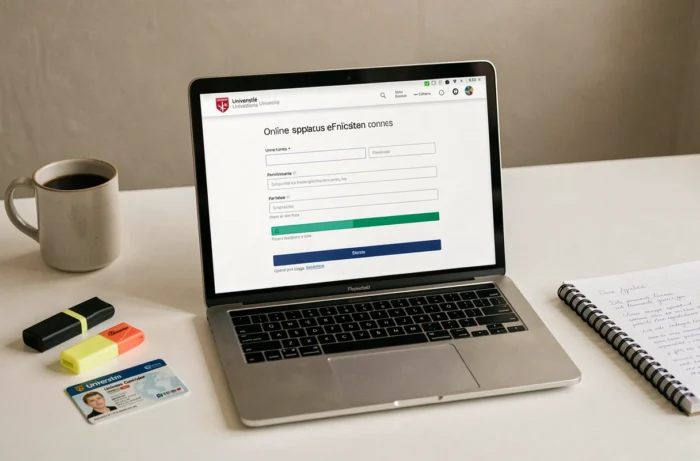
UPEC eCandidat File: Recurring Errors on PDF Documents
The majority of supporting documents must be submitted in PDF format on eCandidat. Candidates who scan their documents in JPEG or in files that are too large face technical rejections without a clear message. The expected format and the maximum allowed size are specified on each program sheet, but are rarely highlighted.
Another underestimated point: an incomplete file by the closing date is definitively rejected. The platform does not grant additional time once the slot is closed. Candidates who wait until the last week to gather their documents take a real risk, especially since some documents (certified translations, employer certificates) require several days to obtain.
In case of a technical problem on the platform, the reflex to adopt is to contact the administration of the relevant component directly, not a central service. Each faculty or institute of UPEC manages its own eCandidat campaigns, and responses vary from one component to another.
The distinction between components remains the guiding thread of any application to UPEC via eCandidat. Calendars, required documents, validation circuits: nothing is uniform. Treating each program as a particular case, checking the dates on the official sheet, and mentally separating application and administrative registration remains the best protection against a file that does not succeed.